
Weekly Tip #11
How to Reduce Your PDF File Size
Oversized PDFs? Foxit PDF Editor makes them easy to shrink, with a preview of the estimated file size.
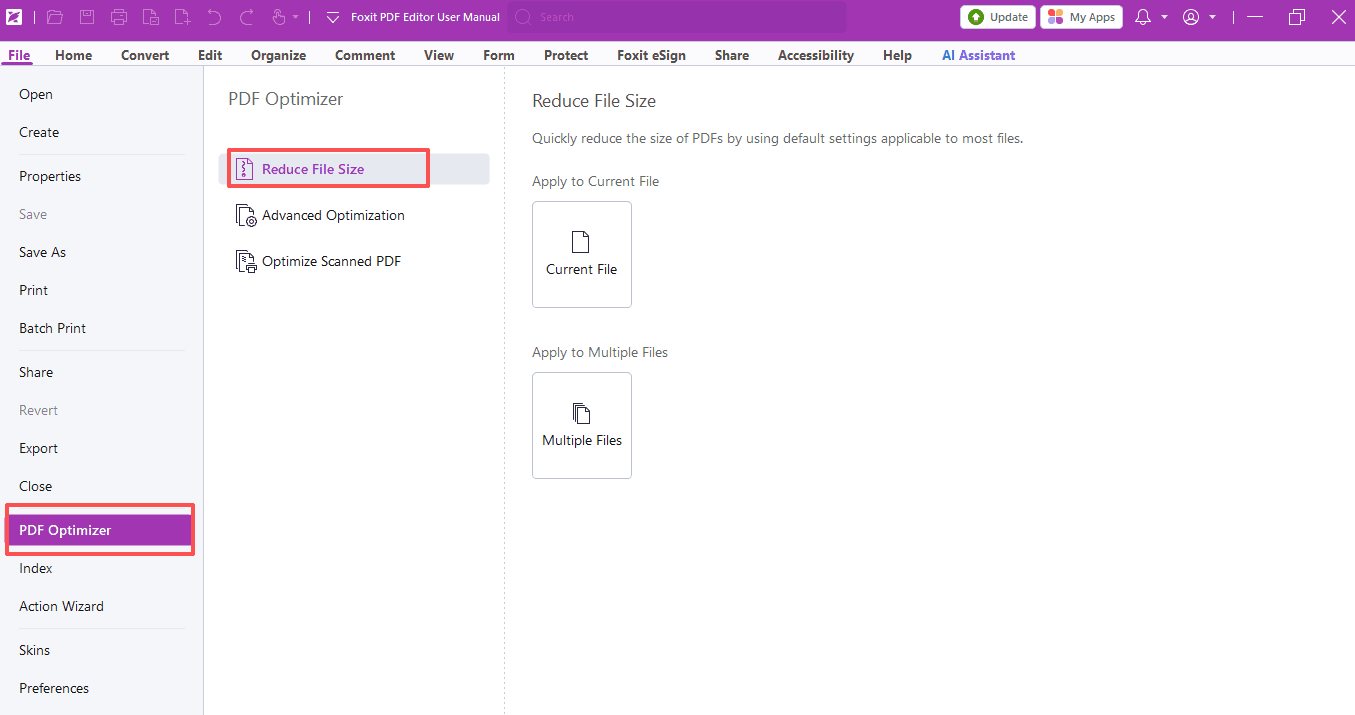
Have you ever run into trouble with oversized PDF files? They fail to send, take forever to transfer, or get rejected by platforms with file size limits.
Foxit PDF Editor will let you shrink PDFs easily and even check the estimated file size beforehand.
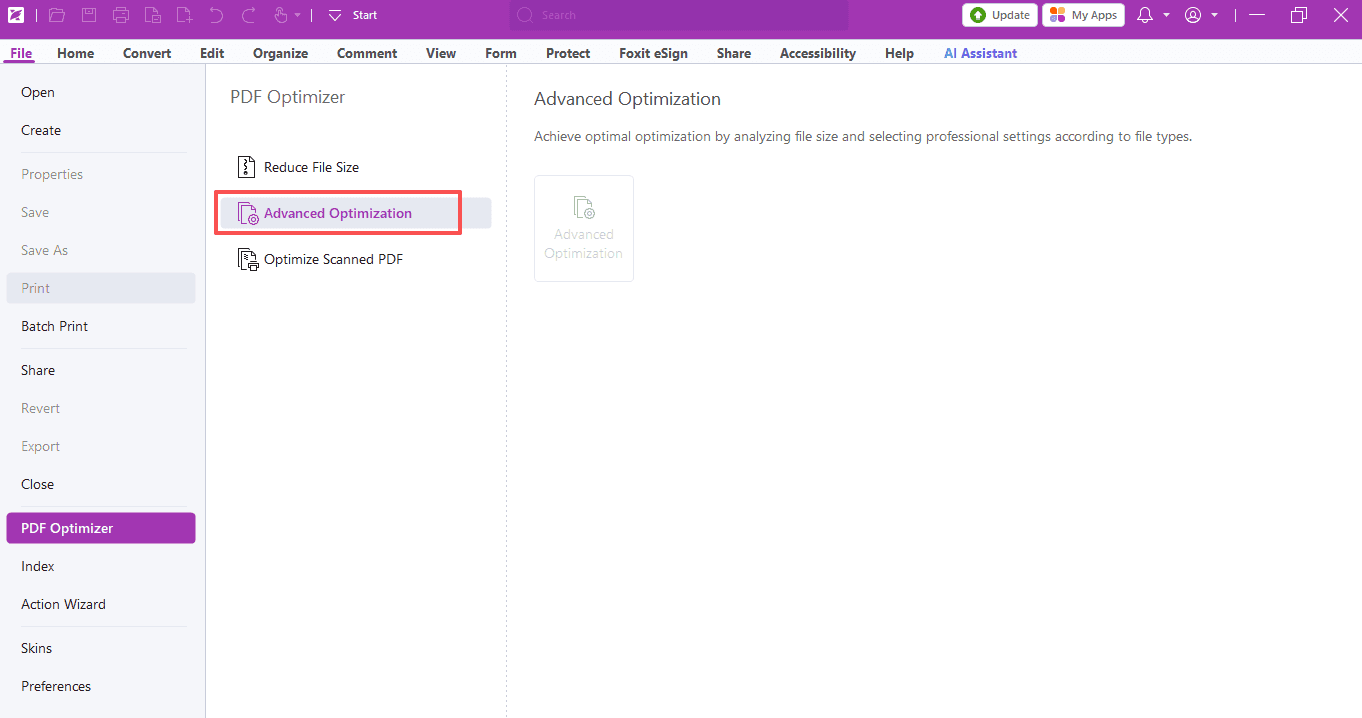
- Open your PDF. Navigate to File > PDF Optimizer > Reduce File Size for single or batch compression.
- Configure your settings:
- Select a PDF version under “Make compatible with”. The latest version is recommended for regular use.
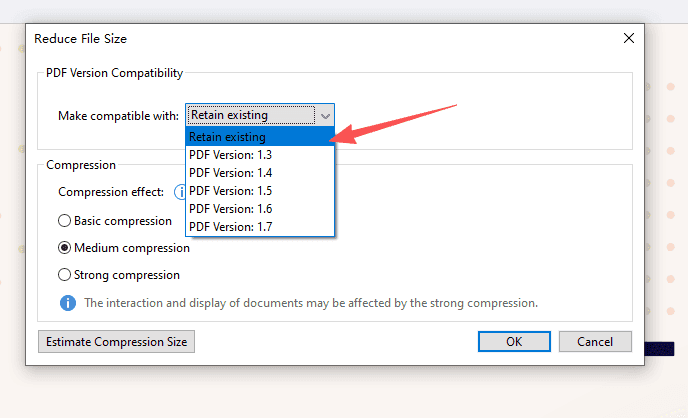
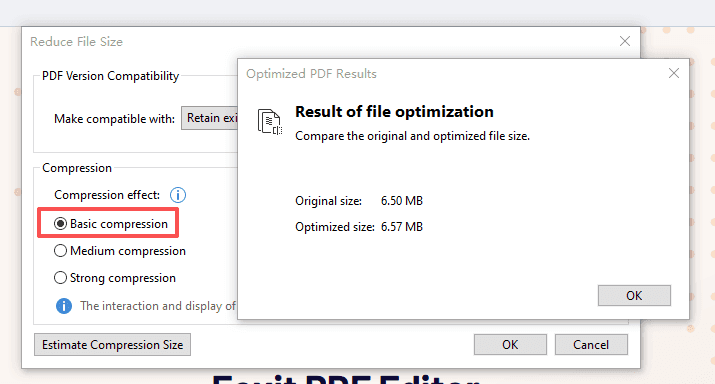
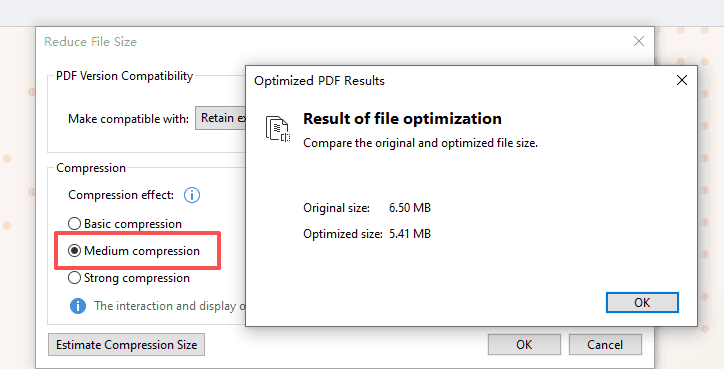
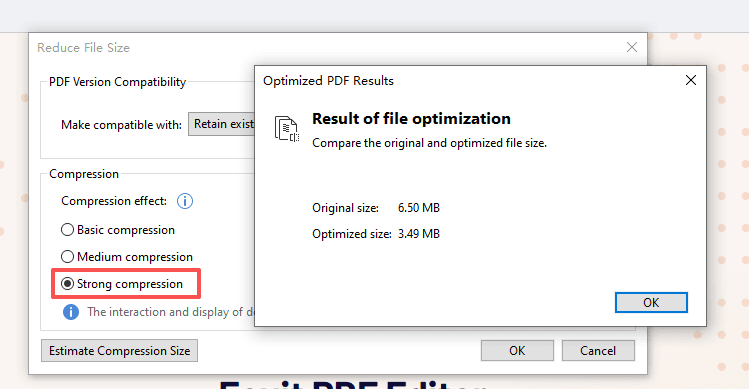
- Choose Basic, Medium or Strong Compression. Tap “Estimate Compression Size” to view the size difference.
Basic Compression:
Medium Compression:
Strong Compression:
If you need further compression, try the “Advanced Optimization”. We will share the detailed guide next time!
Empower your study and teaching with Foxit PDF Editor!
If you need help with any specific case using Foxit PDF Editor, or have questions about how to use it, please feel free to click here to submit your inquiries. We will create dedicated guides based on your actual needs to provide further support.
Try it yourself
Open the interactive Web SDK demo, or talk to a Foxit APAC partner about licensing for your team or campus.