
Weekly Tip #22
How to Create More Margin Space for Notes in PDFs
Out of margin space for your PDF notes? Foxit PDF Editor instantly expands the page so you always have room to write.
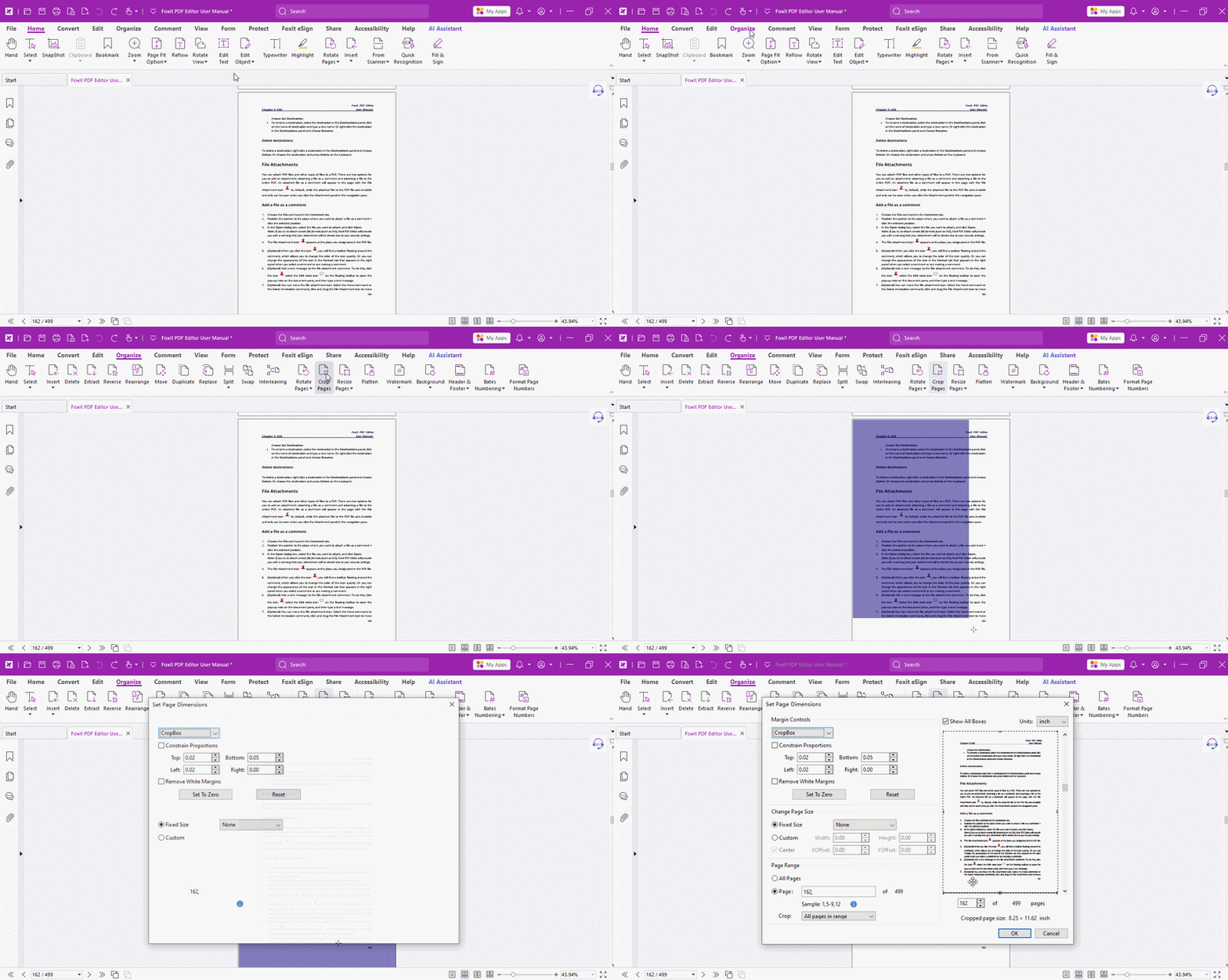
When you read papers or e-books, you may jot some notes in the blank margins. But in many PDFs, the text takes up most of the page, leaving you with too little space for writing. Is there a way to expand that blank area? Absolutely — Foxit PDF Editor makes it easy!
- Open your document in Foxit PDF Editor. Go to Organize in the toolbar, click Crop Pages, and drag to select the area you want to work with. The Set Page Dimensions dialog box will then pop up automatically.
Customize the blank-area size
The rectangle in the preview shows your new page size.
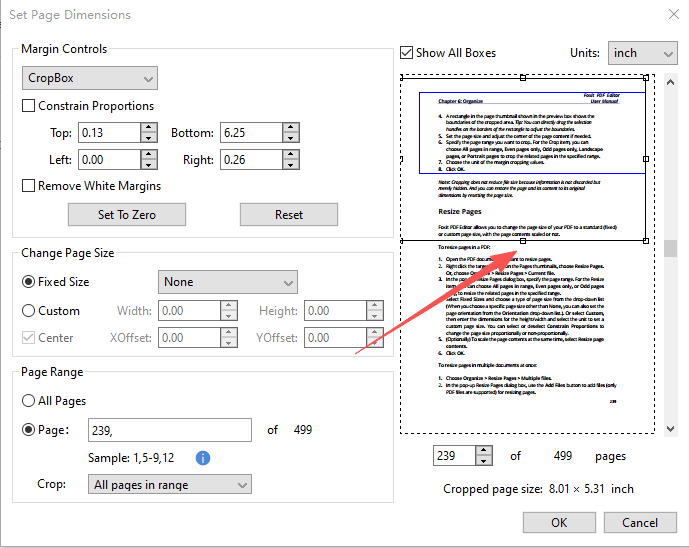
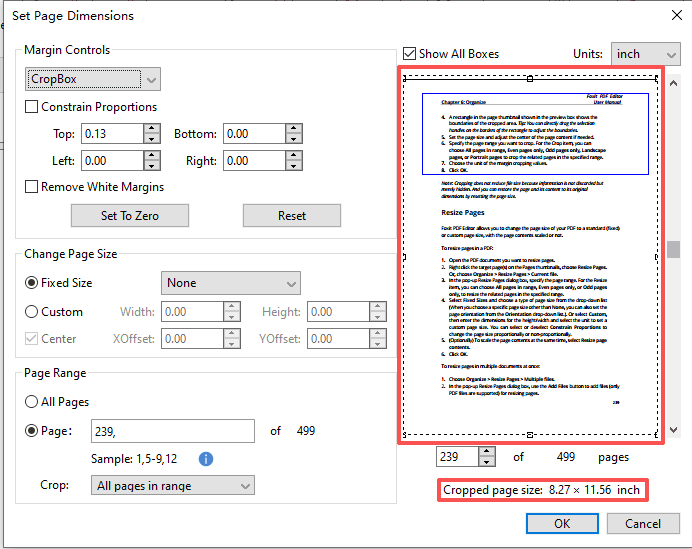
If you want wider margins, you can drag the selection handles on the edges of the rectangle to select the entire page, and the page size will be displayed.
Simply hit Custom to set your own width and height and make sure the Width and Height are larger than the original page size. That's all it takes.
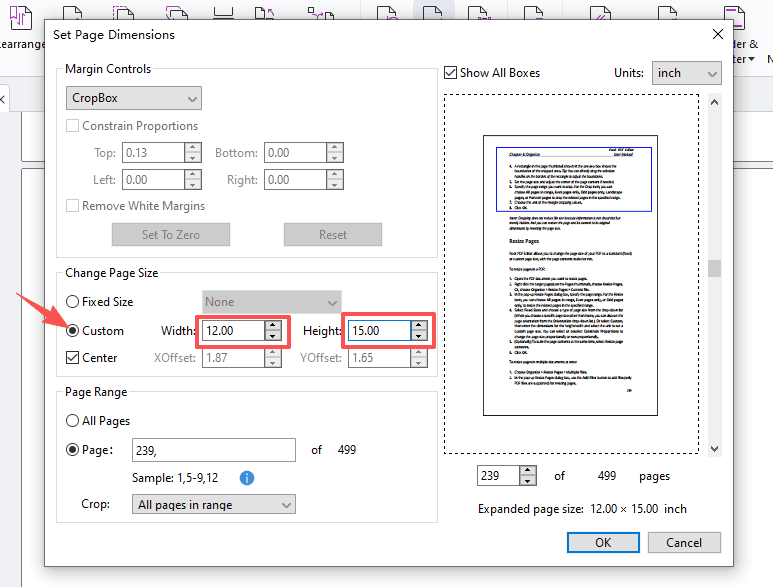
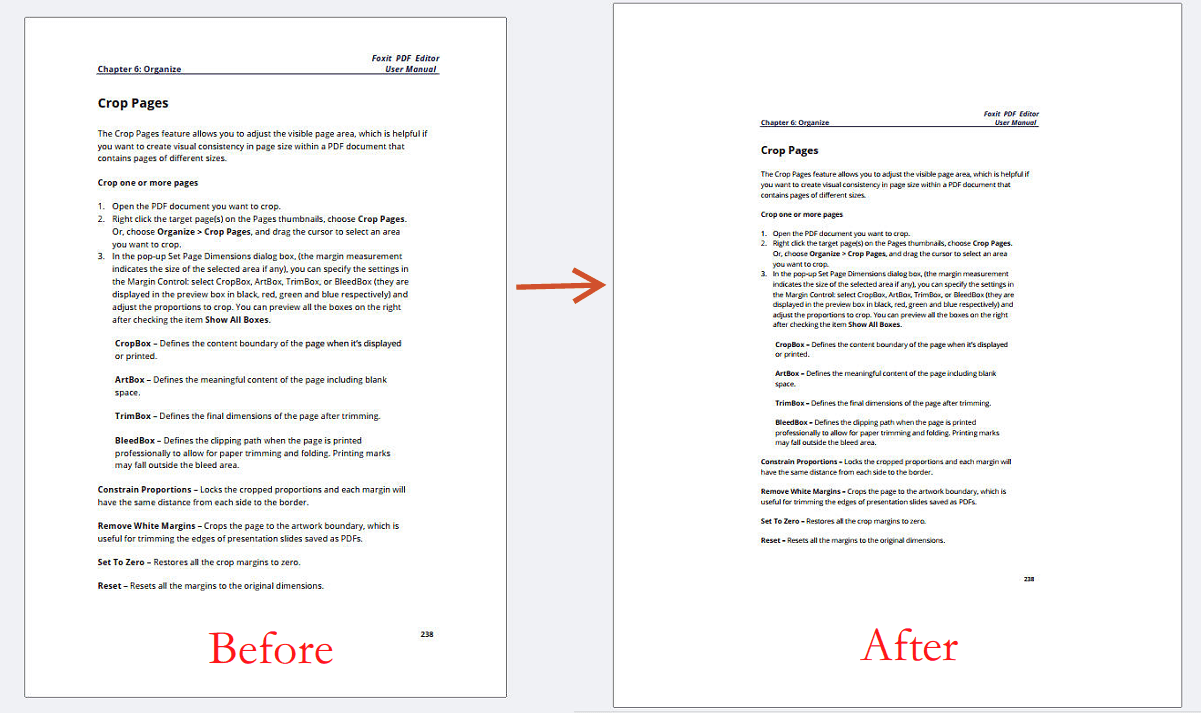
Choose which pages to expand
Once your page size is set, decide which pages it applies to. Just type the page numbers into the Page Range. You can even fine-tune a subset within your chosen range.
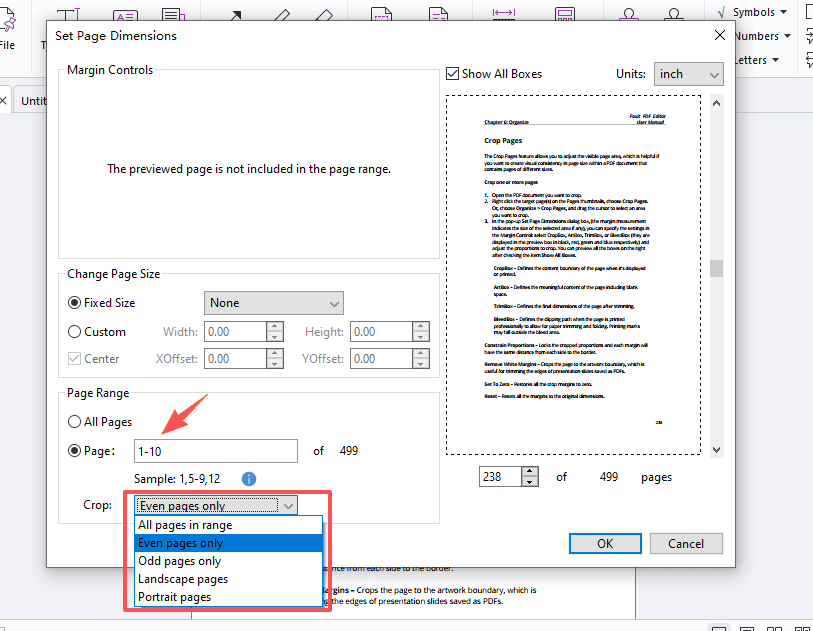
Hit OK, and done. Your pages now have plenty of room for your notes!
Picking up little tricks like this in Foxit can save your time on everyday editing. Go ahead and make the Foxit PDF Editor work for you!
If you need help with any specific case using Foxit PDF Editor, or have questions about how to use it, please feel free to click here to submit your inquiries. We will create dedicated guides based on your actual needs to provide further support.
Try it yourself
Open the interactive Web SDK demo, or talk to a Foxit APAC partner about licensing for your team or campus.