
Blog
Foxit PDF Editor (SSO) License Activation Guide
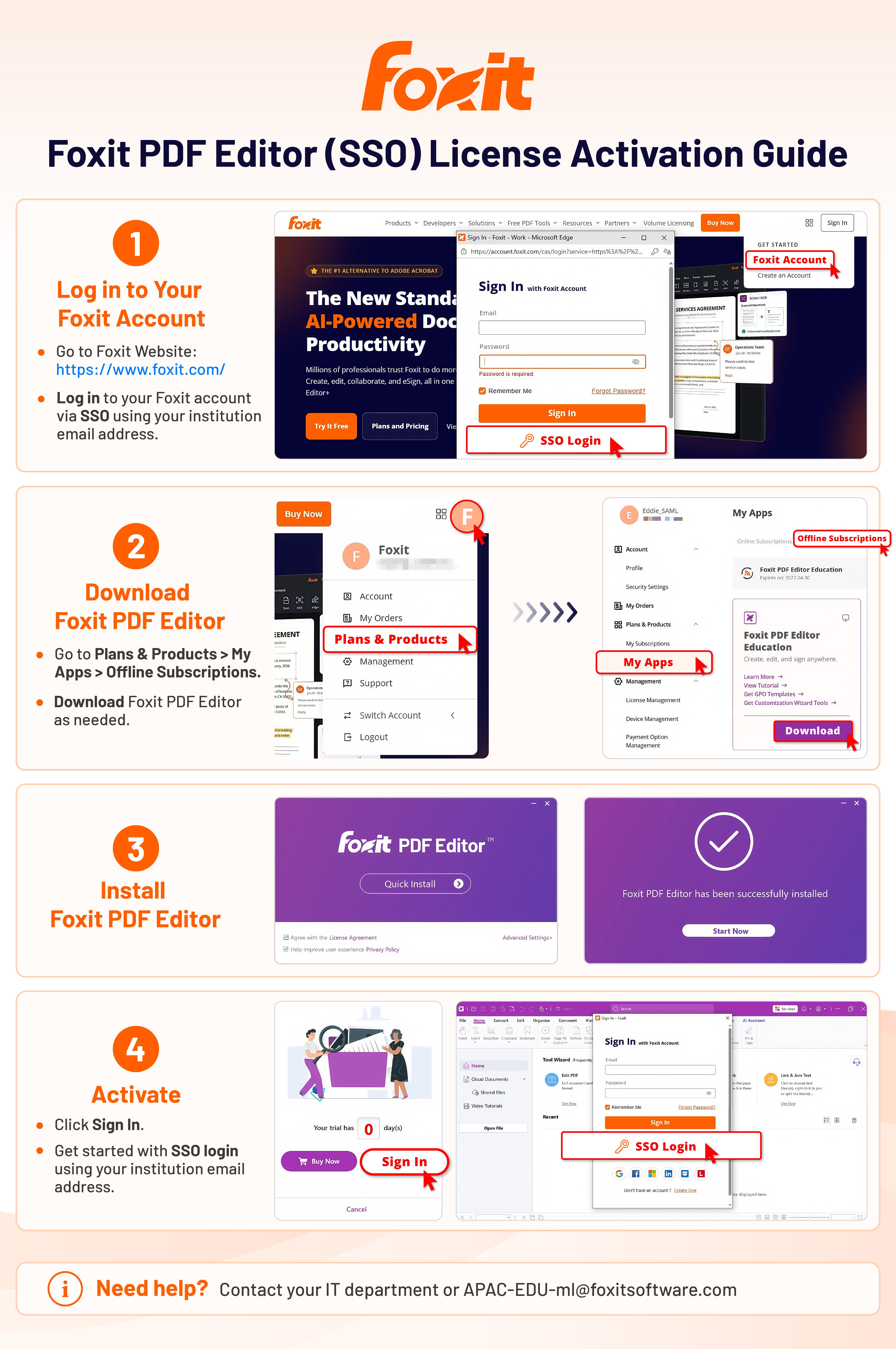
This guide is intended for students, faculty, and staff whose educational institution provides access to Foxit PDF Editor through Single Sign-On (SSO).
October 29, 2026
Single Sign-On (SSO) lets you sign in to Foxit PDF Editor with your educational institution account, without a separate Foxit password. Select SSO Login, enter your institutional email address, and follow your institution's sign-in prompts.
Note💡
Unsure whether your institution uses SSO or whether you have access? Contact your institution’s IT support team.
See Foxit in action
Try the interactive Web SDK demo, or talk to a Foxit APAC partner about enablement for your team.